Validate API endpoints
Use this check to confirm that your environment can reach the Data Sync API before you sync data. In production, the Data Sync service calls these endpoints. System administrators still need to validate connectivity and credentials during setup. Complete Deploy Data Sync service API (cloud) before starting this page. After you finish validating, proceed to Deploy NND Sync or Deploy Data Availability (on-premises).
This page is part of the optional NND Service (Data Sync) section. CDC is evaluating long-term support for this service. If your STLT has a use case, contact nbs@cdc.gov.
On this page
Prerequisites
Complete the Deploy Data Sync service API deployment before you begin. This procedure uses Postman to send API requests. Download and install Postman from the Postman installation page.
You need a Keycloak client ID and client secret for the Data Sync service, nnd-keycloak-client. Retrieve these from your Keycloak instance. See Import service clients and retrieve secrets on the Deploy and configure Keycloak page.
Validate token generation in Postman
The token endpoint returns a JWT token that clients use to access secured Data Sync endpoints. Send a POST request to the following endpoint:
https://data.<your-site>.<your-domain>.com/data-sync/api/auth/token
Use NONE as the authorization type.
- Open Postman and send a
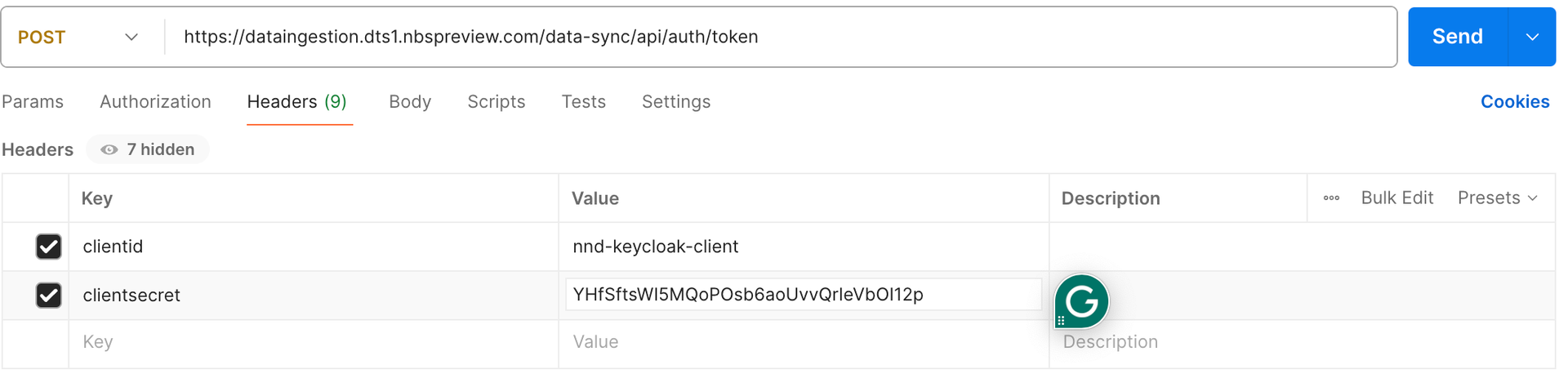
POSTrequest to the token endpoint. - Add two request headers using the credentials from your Keycloak instance:
clientidclientsecret
The following screenshot shows the request configured in Postman:
- Select Send.
-
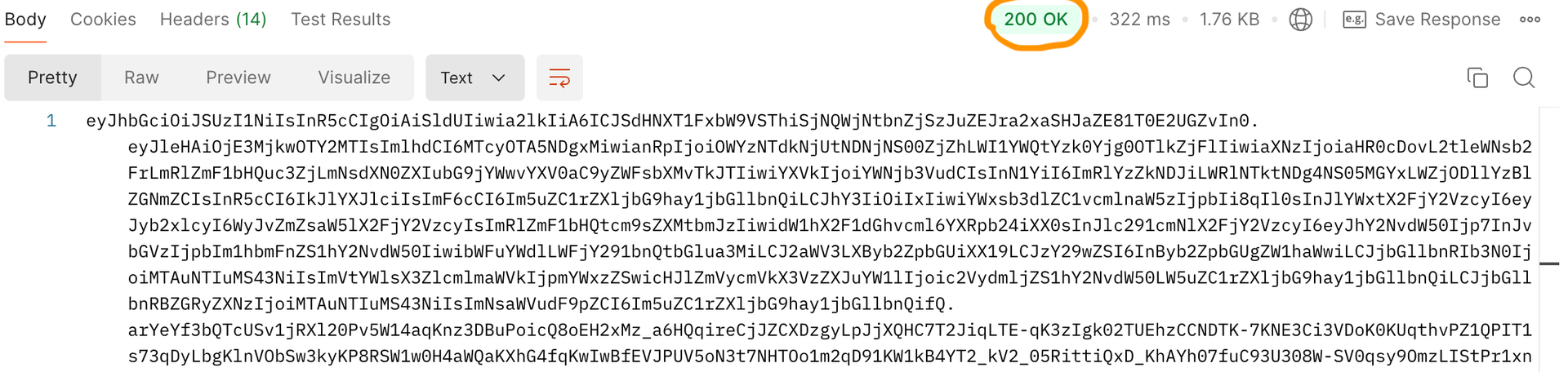
Confirm that the response status is
200 OKand that a JWT token returns.The following screenshot shows an example successful response:
Validate service endpoints in Swagger
After token generation succeeds, validate the service endpoints in Swagger:
https://<host>/data-sync/swagger-ui/index.html
Next steps
Continue to Deploy NND Sync.