Deploy Data Sync service API
This page walks through deploying the NBS 7 Data Sync service API using the nnd-service Helm chart from the NEDSS-Helm repository for NBS version 7.13. After you finish this page, proceed to Validate API endpoints.
This page is part of the optional NND Service (Data Sync) section. CDC is evaluating long-term support for this service. If your STLT has a use case, contact nbs@cdc.gov.
On this page
Prerequisites
This page assumes you’ve completed Before you begin for the microservices phase and each microservice deployment page before this one, in order. The page immediately before this one is the Data Processing deployment.
Configure values and install
Complete the following steps to deploy the ‘nnd-service’ Helm chart from the charts/nnd-service/ directory of your cloned NEDSS-Helm repository:
- Confirm that the following DNS entry was created and points to the Network Load Balancer (NLB) in front of your Kubernetes cluster. Use the active NLB provisioned during base install. Do this in your authoritative DNS service, such as Route 53. Replace
example.comwith the appropriate domain name invalues.yaml:- NND service application, for example:
data.example.com
- NND service application, for example:
-
Search
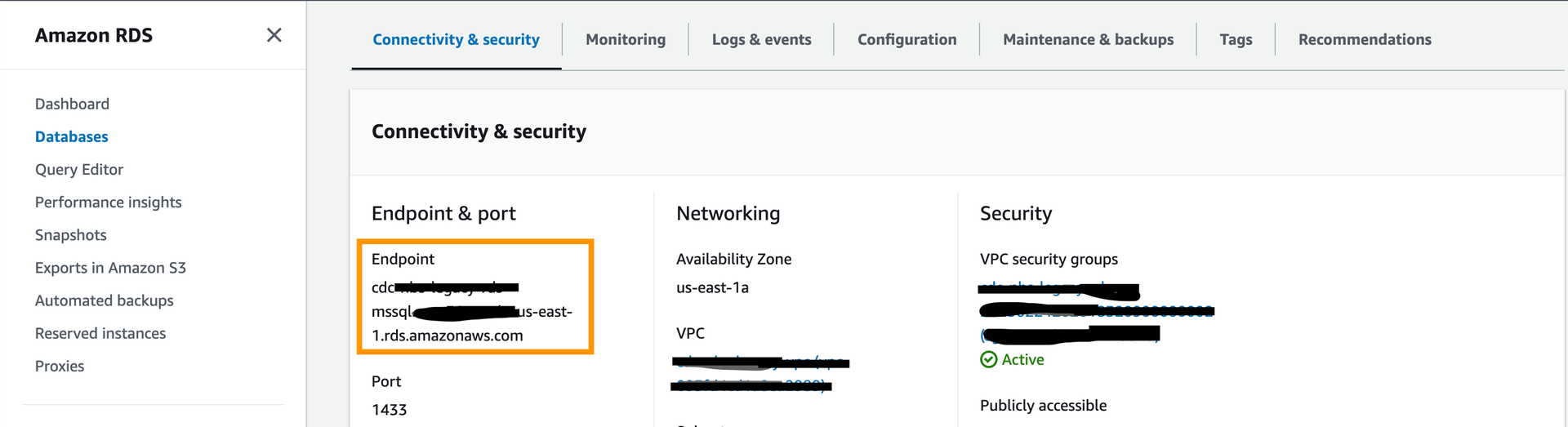
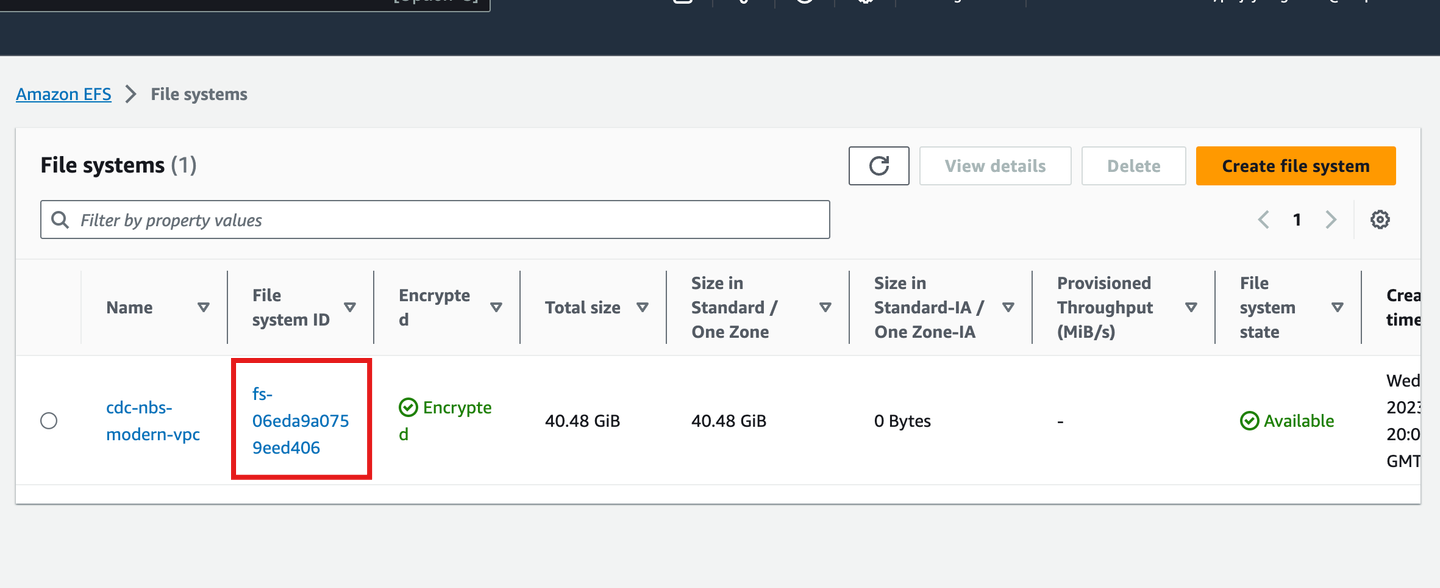
values.yamlforEXAMPLEand fill in the JDBC connection values and EFS file system ID. Thedbservervalue is the database server endpoint only; do not include the port number. The Helm values reference lists the values to use.The following screenshot shows the database endpoint in the Amazon RDS console:
The following screenshot shows the file system ID in the Amazon EFS console:
-
Install the
nnd-servicechart:helm install "nnd-service" ./nnd-service -f ./nnd-service/values.yaml -
Confirm the pod is running before continuing:
kubectl get pods
Validate the deployment
Use the actuator endpoints to confirm the service is running.
Run the info endpoint to confirm the service version and build details:
https://<data.EXAMPLE_DOMAIN>/extraction/actuator/info
Run the health endpoint to confirm the service is running:
https://<data.EXAMPLE_DOMAIN>/extraction/actuator/health
To enable Swagger for testing, specify or overwrite springBootProfile with 'dev' in charts/nnd-service/values.yaml. Swagger is disabled by default in production.
https://<data.EXAMPLE_DOMAIN>/extraction/swagger-ui/index.html#/
Next steps
Continue to Validate API endpoints.