Test RTI API integration for Data Processing
Use this page to validate Real Time Ingestion (RTI) by sending ELR data through the data ingestion endpoint and verifying RTI processing outcomes.
On this page
Prerequisites
This procedure uses Postman to send API requests. Download and install Postman from the Postman installation page.
Run the integration test
This section covers submitting an ELR payload and triggering RTI processing.
- Follow the Data Ingestion API (DI API) testing guide to submit ELR payloads.
- In the API testing guide, locate the ELR ingestion endpoint (
/api/elrs) and add theversionheader to that endpoint in the ELR ingestion API call:version: 1uses the legacy batch importer flow.version: 2bypasses the legacy batch importer and triggers RTI.
For RTI testing, this header is the only required API change. The following screenshot shows the
versionheader set to2in Postman: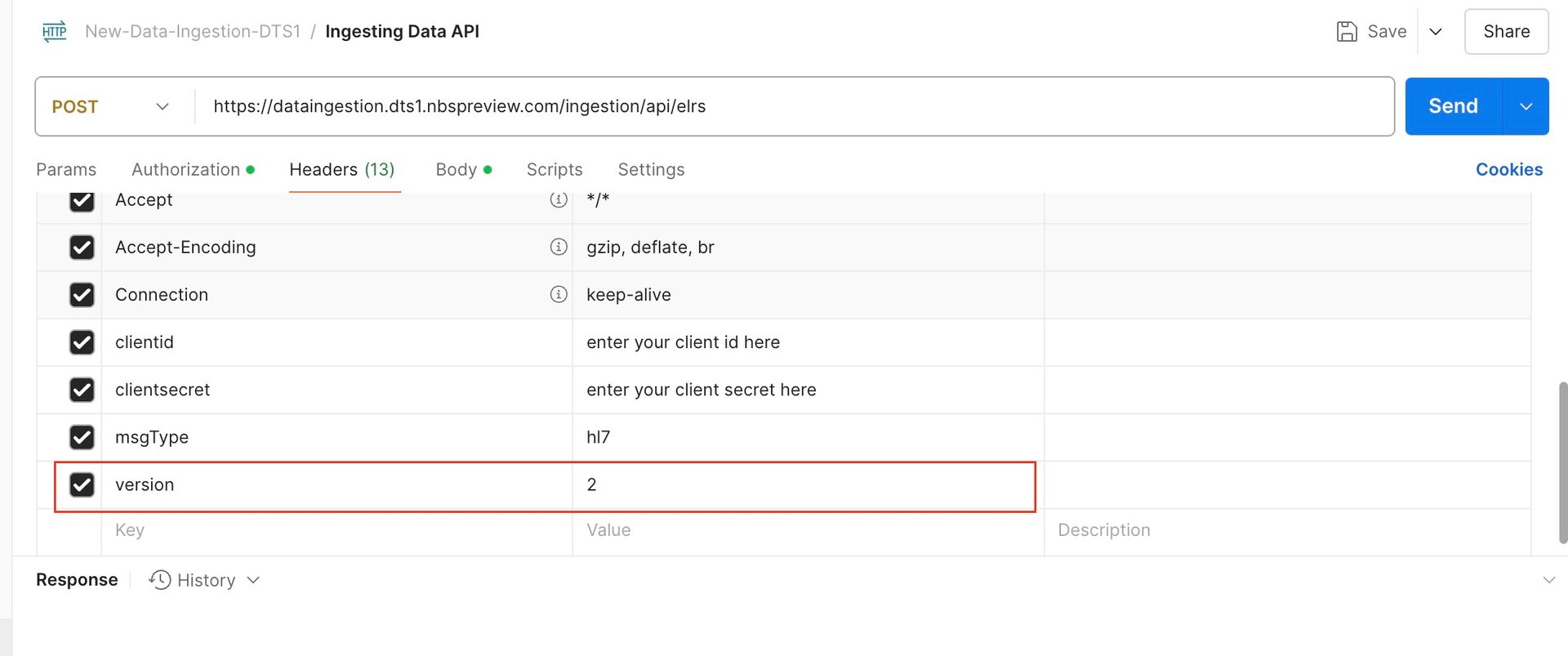
Validate ingestion and RTI processing status
Use the DI API status endpoint (/api/elrs/status-details) to verify processing status after submission.
- Legacy flow status values in
NBS_Interface:QUEUED,FAILED,SUCCESS. - RTI flow status values in
NBS_Interface:RTI_QUEUED,RTI_FAILURE,RTI_SUCCESS_STEP_N.
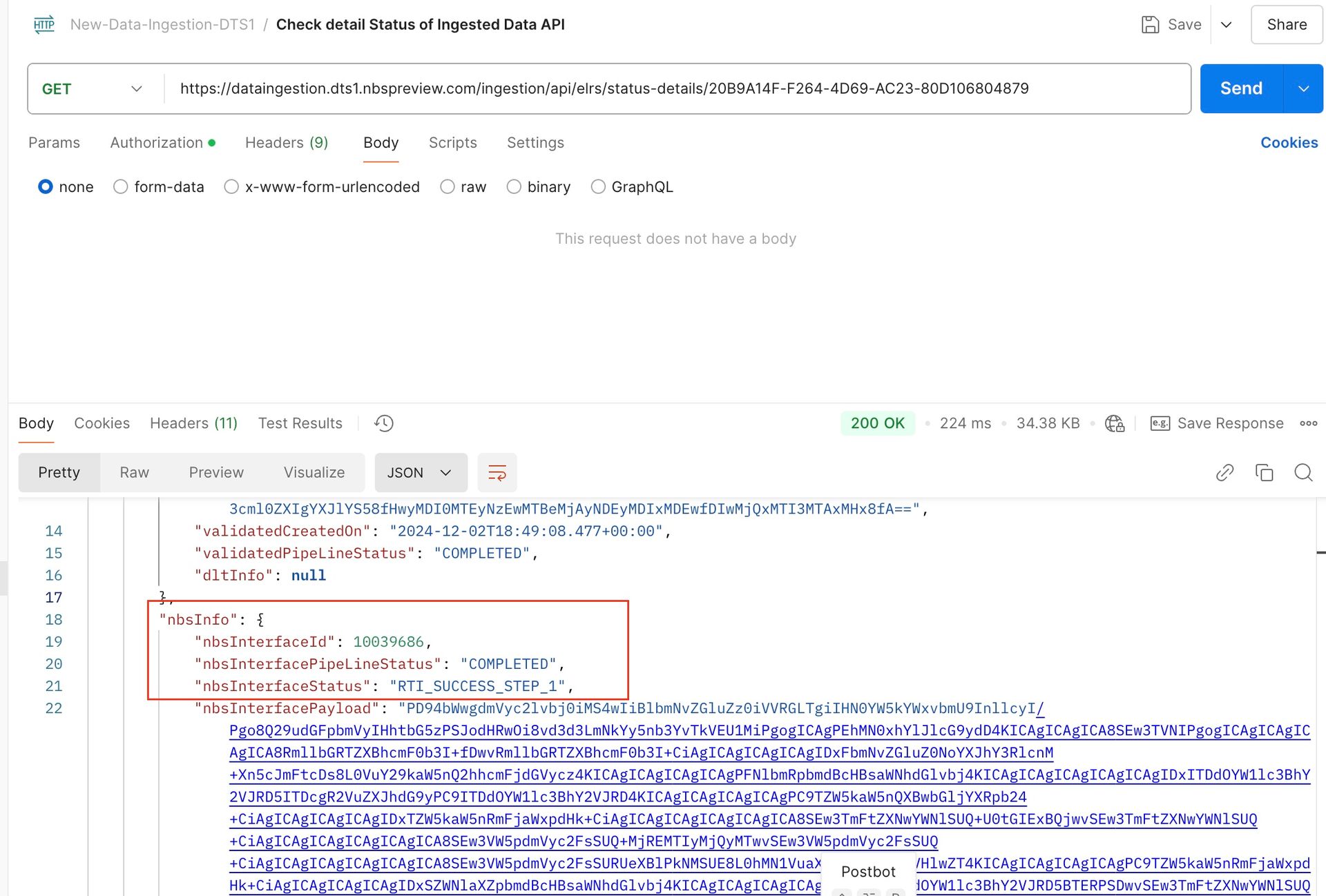
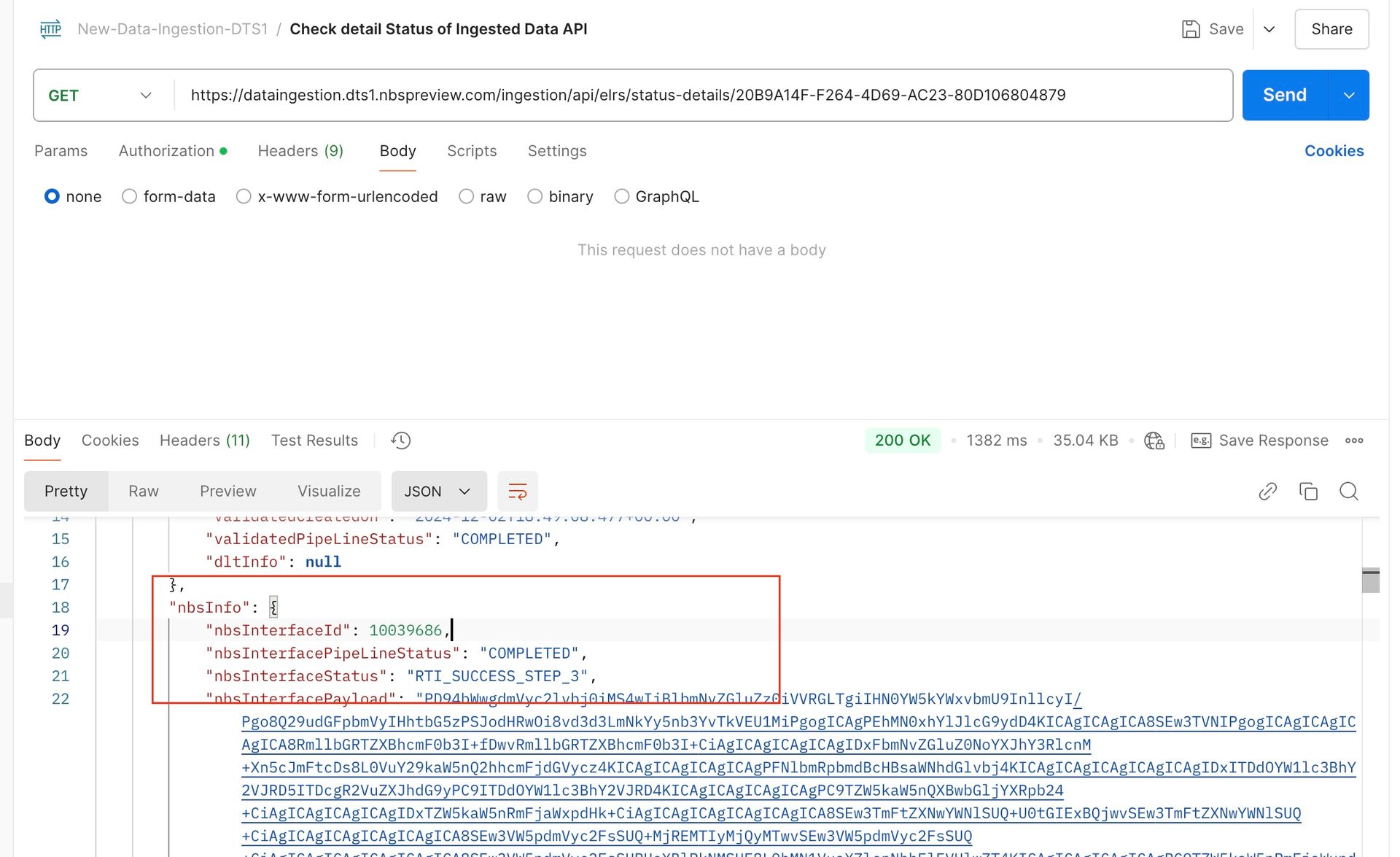
RTI processing can complete in three status steps:
RTI_SUCCESS_STEP_1: Data passed through core processing and should be available in the ODSE database.RTI_SUCCESS_STEP_2: Applies when a WDS algorithm is configured; the service runs WDS comparison.RTI_SUCCESS_STEP_3: Triggered after WDS completes; the service assigns the appropriate action for the ingested payload.
The following screenshot shows an example response from the status endpoint with an RTI_SUCCESS_STEP_1 result:
The following screenshot shows an example response with an RTI_SUCCESS_STEP_3 result:
If ingestion and RTI processing are not working as expected, troubleshoot before continuing.
Next steps
Continue to NND Service (Data Sync).